Activity comparison
Screen-free coding activity kits: three different ways to give instructions
Our Pick: Botley 2.0 Activity Set for remote-command sequencing
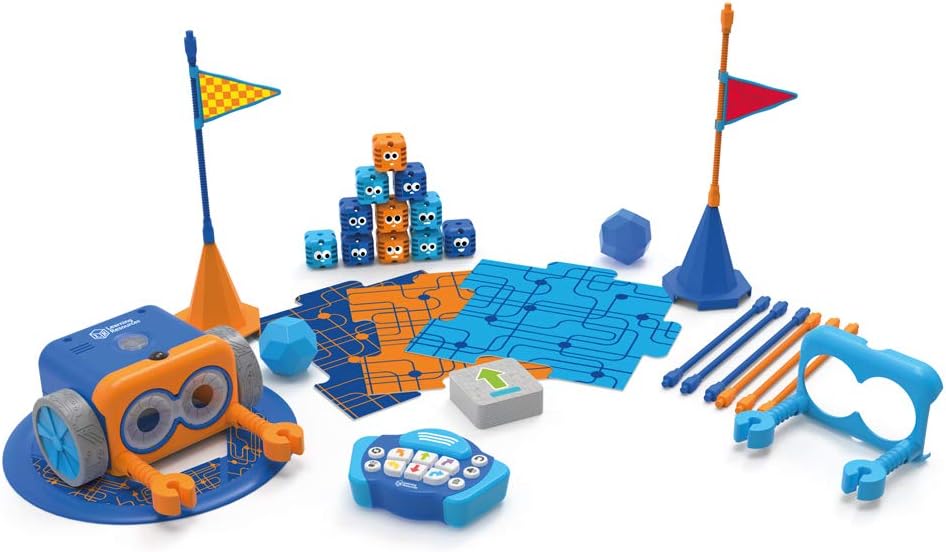
Our pick is the Botley 2.0 Activity Set for a child within the maker’s 5+ age label who wants to plan a route with physical cards and send commands from a separate programmer. The maker’s exact Activity Set page carries a small-parts choking warning and says it is not for children under three. That warning does not reduce the intended starting age to three or establish that every five-year-old can use the set independently. An adult should read the actual box and instructions before starting.
The choice is about the documented activity mechanism, not proof of improved intelligence or guaranteed coding skills. The captured listing describes a robot, remote programmer, 40 coding cards, six double-sided boards and obstacle pieces in a 78-piece Activity Set. The maker describes planning commands with the cards, entering them using the programmer’s arrows, then pressing Go to execute the sequence. That is a useful format for a child who wants to build a route and watch the robot carry out a plan.
We have not personally tested the remote, obstacle sensing, turning precision or how long an activity holds a child’s attention. The set is a source-based editorial preference for physical sequencing, not a claim that it replaces a programming course or suits every child advertised on the box.
Botley: choose the Activity Set, not just a similar robot name
The particular bundle matters. A Botley 2.0 robot sold separately, the original Botley, a construction accessory pack and this Activity Set do not establish identical contents. We are comparing the captured 78-piece Activity Set, not importing another model’s maximum sequence length, accessories or directions.
The maker’s description says five AAA batteries are required and not included, while another metadata field on that page says batteries are included. We cannot resolve the current seller’s box from that conflict. Check the actual package before planning the first session rather than assuming batteries arrive with it. Detailed battery-compartment and reset procedures must come from its matching instructions.
The physical programmer and cards support a screen-free core activity. That does not mean the robot contains no software, that every optional resource is permanently available, or that all activities require no adult reading. An adult may need to read challenge directions and help the child connect a directional symbol to the robot’s movement. We are not promising reading-free independent play.
Code & Go Robot Mouse Activity Set: buttons directly on the mouse
The Code & Go Robot Mouse Activity Set is our alternative for a child who would rather enter the sequence on the robot itself and build a maze around it. The exact listing and photographed package identify ages 4+. The original box says 83 pieces and shows the mouse, interlocking green maze tiles, walls, tunnels and coding cards. Do not substitute the separate mouse or a classroom multipack when checking the contents.
The captured listing specifies one Colby mouse, 16 maze grids, 22 walls, three tunnels, 30 coding cards, ten activity cards, a cheese wedge and a guide. It requires three AAA batteries, not included. Those are source-described contents, not a current retail inventory guarantee. The photographed blue mouse and Activity Set box are consistent with the captured product; we are not asserting that a different Jack or rechargeable version has the same supply requirements.
The basic activity is physical: plan a route with the cards, enter the commands with the mouse’s buttons, and watch it navigate the maze. That mechanism supports the screen-free description without relying on an app promise. However, we have not obtained the exact guide or a full readable warning panel. Exact clear/reset sequences, speed-setting instructions and the complete warning inventory remain unverified. Follow the instructions supplied with the actual set rather than assuming Botley’s controls apply to the mouse.
The lower advertised age is not a finding that this is safer or that a child needs less supervision. Small loose accessories and battery handling still require an adult’s attention. Directional arrows also do not establish that a child can interpret every activity card without help.
Sphero indi Student Kit: the route is made from color tiles
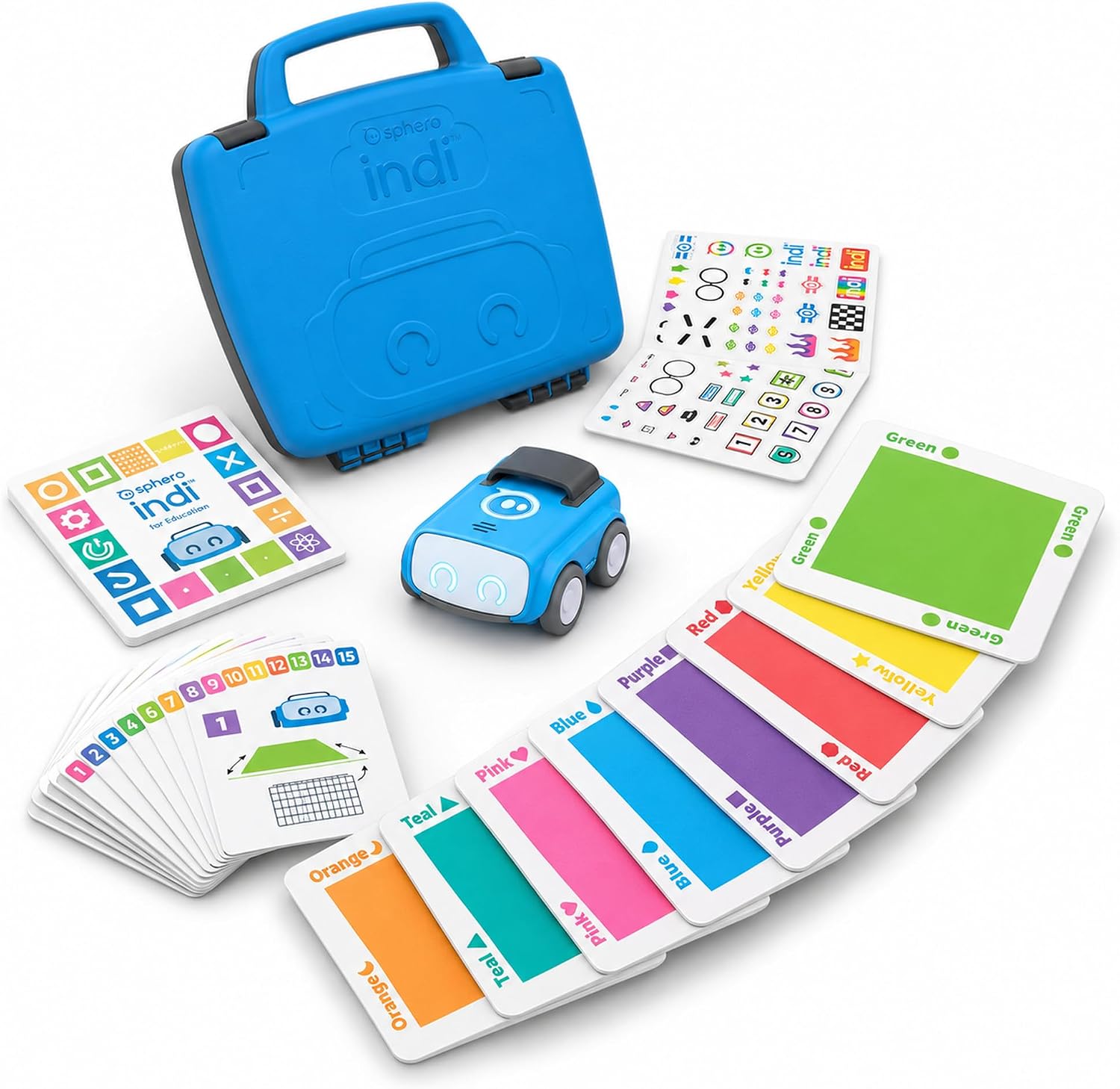
Sphero indi is the alternative for a child who wants to change the route by rearranging physical color tiles rather than entering a stored sequence with arrow buttons. The captured listing identifies the Student Kit and a 4+ audience. Its original image shows one indi car, a carry case, color tiles and challenge cards.
The exact listing and Sphero’s product page describe a screenless starting mode in which the car responds to the tiles. They separately describe Sphero Edu Jr as an app route for block-based customization. This is the important distinction: a device is not required for the documented tile-based core, but optional app programming is not a screen-free activity.
If the app is part of the intended purchase, check its current host-device, account, network and update requirements separately. We have not established that every optional feature is permanently available, works offline or needs no registration. Nor do we promise a measured improvement in reading, mathematics or computational thinking merely because the marketing lists those subjects.
Do not import the tile totals or accessory counts of a Class Pack into a single Student Kit. The maker page covers multiple pack options, and a photographed tile material does not guarantee the current seller’s exact tile version. The car is described as rechargeable, but an all-day runtime, exact charging duration and complete manual-only handling requirements are not verified performance claims here. Confirm the actual package warning panel and charging instructions before use.
Picking the activity, not a promised outcome
Choose Botley for the separate remote-command format, the mouse for on-robot buttons and a constructed maze, or indi for a color-tile route with an optional app extension. All three involve following or arranging instructions, but they are not identical measures of difficulty or equivalent steps in a fixed learning progression.
Begin with a short activity from the matching guide and give the child room to observe what happened. An adult can help compare the plan with the route without making success a race. Check how the exact model clears or changes a sequence before giving operational instructions; this comparison does not replace its manual.
Evidence and buying limits
These are source-based editorial choices, not hands-on tests or verified live offers. Prices, grades and purchase links are not published. Customer-answer material does not resolve safe ages, exact contents or educational outcomes. Blocked guides do not become permission to invent reset procedures, and incomplete warning panels do not imply an absence of warnings. The documented core activities remain distinct from unverified manual, bundle or optional-software claims.